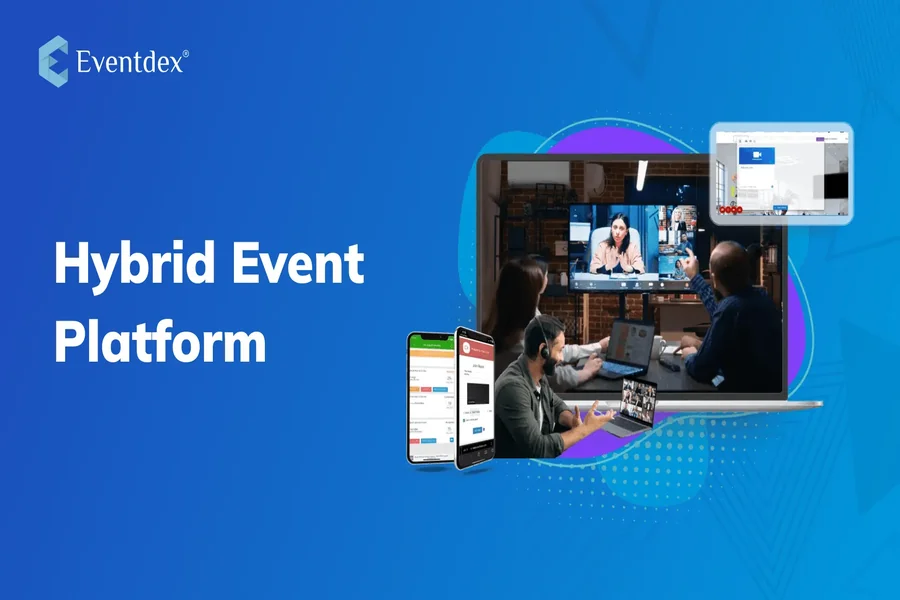
Planning a hybrid business event — one that connects both in-person attendees and virtual participants — can feel like juggling two worlds at once. From real-time streaming logistics to audience engagement and post-event follow-up, success depends on getting the tech stack just right. But you don’t need a massive budget or full-scale production team to pull it off. Today’s digital tools make it easier (and more affordable) to deliver a polished, high-impact event that bridges the physical and virtual.
Whether you’re organizing a corporate summit, product launch, or panel discussion, these tools can help streamline your workflow and elevate the experience for every guest — regardless of location.
1. Hopin – The Hybrid Event Hub
Hopin is built specifically for hybrid and virtual events. It allows you to manage registration, create virtual stages, offer networking spaces, and even integrate exhibitor booths — all in one platform. What sets Hopin apart is its flexibility: you can stream live from a physical venue or embed pre-recorded segments and still offer real-time chat, polls, and breakout rooms. It’s ideal for events where audience engagement is just as important as content delivery.
2. Whova – All-in-One Event Management and Engagement
Whova provides planners with a toolkit that includes agenda planning, speaker profiles, ticketing, and a mobile app for attendees. Its hybrid features support live streaming, in-session chat, virtual exhibitor halls, and attendee networking. A major perk? Whova also makes it easy for virtual and in-person attendees to connect — meaning your event builds community, not silos. It’s perfect for conferences, internal summits, or industry mixers.
3. Brella – Smarter Networking for Business Events
If your event’s success hinges on networking and partnerships, Brella’s AI-powered matchmaking tool is a game-changer. It matches attendees (virtual and live) based on shared interests, goals, and industry verticals. Brella also includes sponsor booths, meeting schedulers, and branded virtual lobbies — giving both sides of your hybrid audience equal opportunity to interact and build relationships. It’s particularly effective for investor forums and B2B expos.
4. Slido – Instant Audience Interaction
One challenge of hybrid events is keeping both audiences equally engaged. Slido solves this by embedding polls, word clouds, quizzes, and real-time Q&A into your presentations — whether you’re streaming on Zoom, Webex, or in a live hall. Attendees simply use a phone or browser to participate, creating instant feedback loops and interactivity. Slido integrates easily into platforms you already use and helps presenters stay connected with all audience segments.
5. Run The World – Boutique Hybrid Event Hosting
Run The World is a lightweight but powerful platform designed for smaller-scale hybrid events, like fireside chats, workshops, or networking sessions. It offers unique features like “cocktail party” virtual mingling and emoji reactions during live streams. The platform emphasizes interaction over production — making it perfect for educational or community-driven events where connection trumps polish. Bonus: the UI is friendly for both planners and attendees, so tech stress is minimal.
6. Frame.io – Collaboration for Video-Heavy Events
If your hybrid event involves video content (pre-roll, sponsor ads, speaker intros), Frame.io helps your team collaborate in real time. Upload clips, share feedback, approve edits, and manage assets without endless email threads. It integrates with Adobe Premiere Pro and Final Cut, which streamlines post-production workflows. For hybrid planners dealing with multiple editors or agencies, Frame.io helps keep creative assets aligned and deadlines on track.
FAQ: Smart Invitation Design for Hybrid Events
Great invitations set the tone for your event and drive attendance — especially when managing both in-person and virtual guest lists. Digital invitations aren’t just about aesthetics; they’re also functional assets that convey clarity, professionalism, and excitement. Below are common questions event planners ask about designing effective hybrid event invites.
Q1: How can I design invitations that clearly communicate hybrid attendance options?
Your design should use icons or clear text to show options like “Join In-Person” and “Join Virtually.” Consider using color-coding or separate QR codes for each path. The goal is to eliminate confusion — especially for first-time attendees or international guests.
Q2: I don’t have a graphic designer. What’s the best tool to create event invitations quickly?
Platforms like Adobe Express offer professional, editable templates that you can customize with your event details, brand colors, and images. If you’re juggling logistics and deadlines, this may help you create polished invitations in minutes — no design experience required.
Q3: What are good formats to use for hybrid invites — PDF, HTML, or video?
PDFs are still reliable for print or downloadable use, while HTML invitations work best for email campaigns (e.g., via Mailchimp or Constant Contact). If you’re feeling bold, try a short video invite that can be shared on social media or embedded into email. Just make sure it clearly includes date, time zones, and RSVP instructions.
Q4: How can I personalize invitations for different attendee types (sponsors, VIPs, general)?
Use mail merge features in your email platform or create segmented lists. Customize not just names but also access links or calls-to-action. Sponsors might get an “Access Your Booth Tools” button, while general attendees see a “Save My Spot” link. The more relevant the invite, the higher the engagement.
Q5: Are there tools that help track RSVPs and automate reminders from invitations?
Yes. Eventbrite, Splash, and Paperless Post Pro all allow you to send invites, track responses, and automate follow-ups. You can even segment messages based on RSVP status, helping you nudge late responders or send platform access info closer to the event date.
Hybrid events offer the best of both worlds — broader reach and deeper engagement — but only if the tools behind the scenes work in harmony. With smart planning, digital collaboration, and clear communication, you can create a seamless experience for every attendee. Start with the right tech, personalize where it matters, and your hybrid event won’t just run smoothly — it’ll resonate long after the last session ends.